Webflow SEO in 2026: Features, Pricing, Reviews & Tools

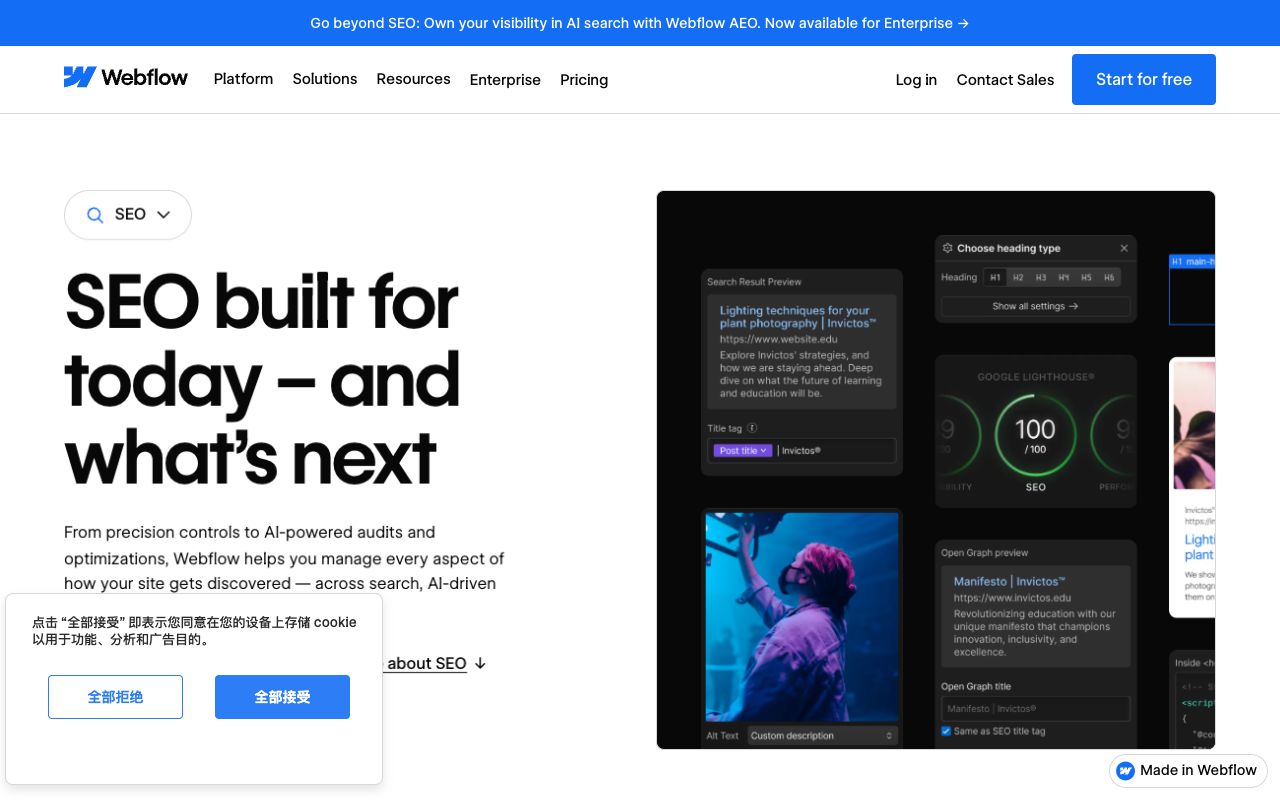
Webflow ships more technical search control out of the box than most visual builders: per-page metadata, global and page-level canonicals, an auto-generated XML sitemap, editable robots.txt, bulk 301 redirects, and an upload slot for llms.txt. The gap is not crawlability — it is that none of those settings tell you whether ChatGPT, Gemini, Claude, or Perplexity mentions you when a buyer asks for a recommendation.
This guide covers what Webflow SEO includes today, what each site plan costs (verified on webflow.com on August 5, 2026), what paying customers actually say, the tools worth adding, and three alternatives.
What Is Webflow SEO and What Does the Platform Handle Natively?
Webflow SEO is the set of on-page and technical controls exposed in Page settings and Site settings, plus the markup Webflow's hosting layer emits. There is no plugin marketplace to bolt on — the control either exists in the product or you write custom code.
Here is what Webflow's own SEO feature page and pricing comparison table list as native today:
- Metadata control — custom titles and meta descriptions per page, and CMS templates can pull them from collection fields so new items are never blank.
- Canonical tags — set one globally for the whole site or override it on an individual static page.
- Sitemap controls — an XML sitemap generated automatically, with hreflang in localized sitemaps when you use Webflow Localize.
- Robots.txt and llms.txt — both editable from Site settings, under the SEO tab.
- Crawler access controls — allow or block search crawlers and AI bots at the site level.
- Schema markup support — generate structured data with Webflow AI, or paste your own JSON-LD into a page's custom code block.
- 301 redirects — added individually or imported in bulk by CSV, with no engineering involvement.
- Alt text control — per image, with an AI bulk-fill option for the backlog.
Two limits matter before you pick a plan. The free Starter tier has no redirect manager, so any URL change there is a hard 404. Per-item indexing control for CMS entries appears only on the top self-serve tier, which counts the moment you have thin collection items to keep out of the index.
How Much Does Webflow Cost in 2026? Site Plan Pricing
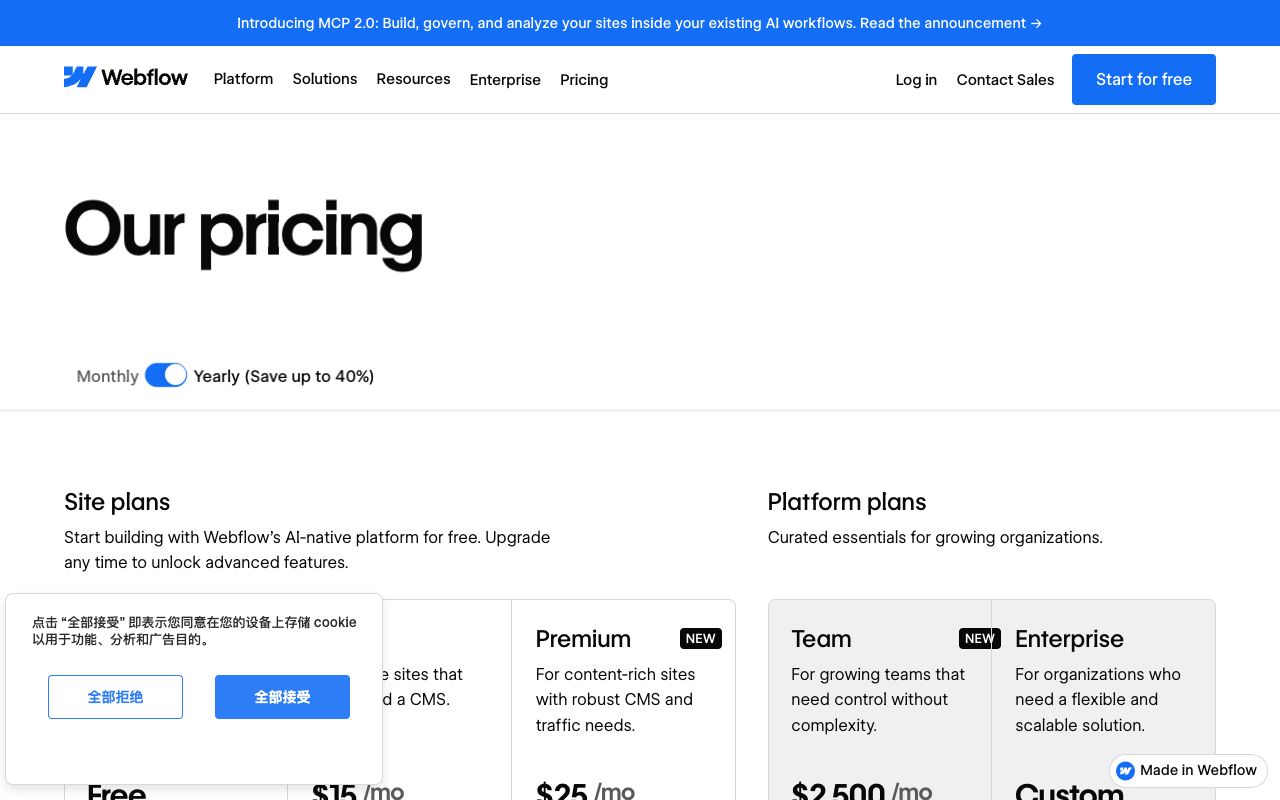
Webflow restructured its self-serve ladder in 2026. The site plans on webflow.com/pricing as of August 5, 2026 are Starter, Basic, Premium, Team, and Enterprise — with Premium and Team both carrying a "New" badge. Yearly billing is the default view, and Webflow advertises savings of "up to 40%" against paying monthly.
| Site plan | Billed yearly | Billed monthly | What it changes for search |
|---|---|---|---|
| Starter | Free | Free | webflow.io subdomain, 2 static pages, no redirect manager |
| Basic | $15/mo | $25/mo | Custom domain, 300 static pages, 10 GB bandwidth, no CMS |
| Premium | $25/mo | $39/mo | Webflow CMS, site search, CMS item indexing control, well-known files |
| Team | $2,500/mo | Annual contract required | AEO agents, Webflow Localize, publishing workflows, activity log |
| Enterprise | Custom | Custom | Granular permissions, custom roles, enhanced SLAs |
Site plans are only half the invoice. Workspace seats bill separately — Core at $19/mo yearly, Growth at $49, Freelancer at $16, Agency at $35. Several SEO settings on a Starter site also require a paid Workspace, an easy trap when you assume "free plan" means free.
Three add-ons are relevant. Webflow Analyze is $9/mo billed yearly ($12 monthly) and its description explicitly includes "AEO insights like LLM visibility and AI agent traffic." Webflow Localize starts at $9/mo yearly. Webflow Optimize, the A/B testing layer, is $299/mo billed yearly.
Is Webflow Worth It for SEO? What Real Reviewers Say
Short answer: the technical foundation holds up, and the complaints are about billing and support. That pattern was consistent across two public review platforms I checked on August 5, 2026.
On Trustpilot, Webflow sits at a 1.4 TrustScore across 232 reviews — labeled "Bad." Trustpilot's own summary of recent reviews cites a complex editor, slow performance, and pricing reviewers call "overpriced and convoluted." A review posted August 3, 2026 under the title "Extortionate" describes a plan jumping from $35 to $46 after a forced consolidation: "I was told my old plan was merged with a more expensive one … and now I have access to 20k CMS items and 40 CMS collections, none of which I need."
Support draws the sharpest fire. A May 14, 2026 Trustpilot review reads: "The entire support system is an AI chatbot full of slop, and if you ask for a human to follow up over email, your new ticket sends you right back to the same chatbot."
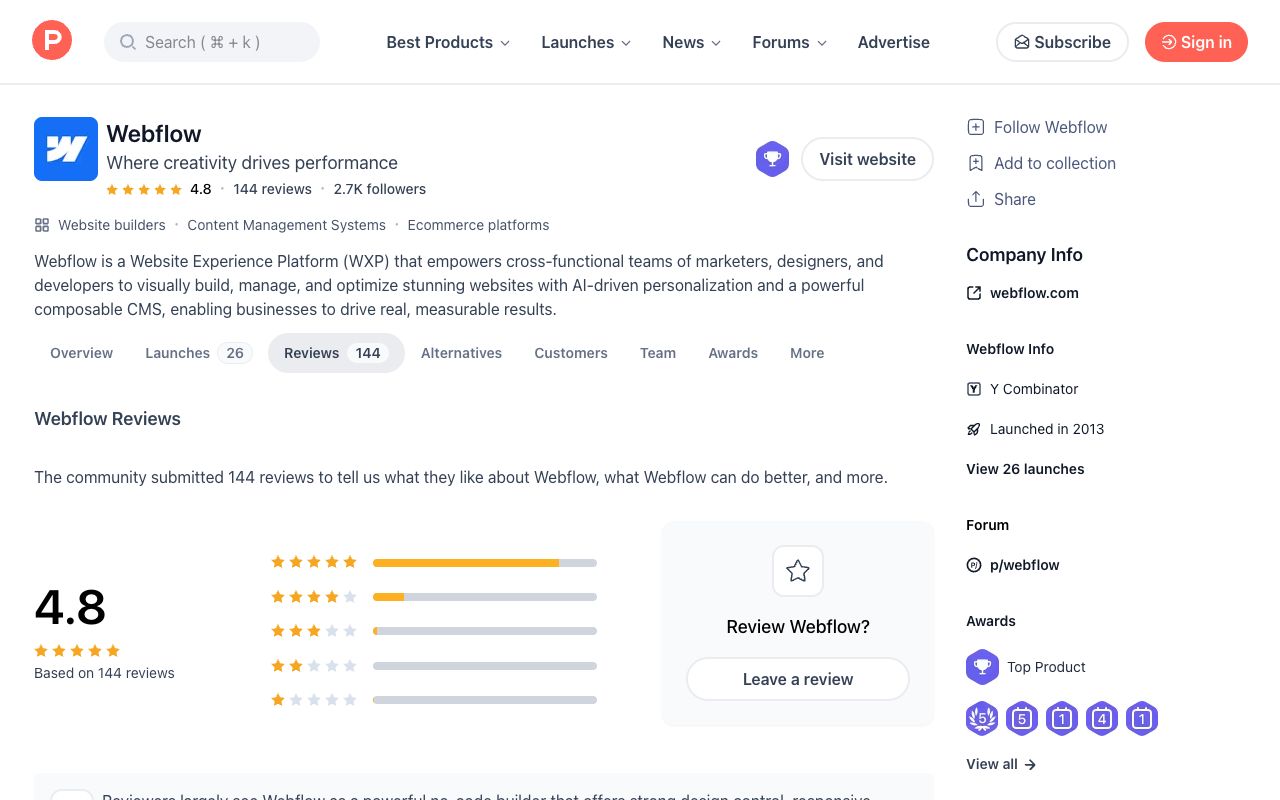
The picture flips on Product Hunt, where Webflow averages 4.8 across 144 community reviews. One agency owner there writes that he is "a big believer in the product and SEO is downright freaking incredible," while adding that "the Designer is not for the faint of heart. It takes time to learn."
A note on sourcing: G2's Webflow listing blocks automated fetching, so I am not quoting a score from it. The honest read from what is verifiable — almost none of the one-star reviews are about rankings or crawlability.
The Webflow SEO Checklist: 11 Fixes Before You Publish
Run this Webflow SEO checklist on every site before the first publish, and again after any redesign.
- Set a global canonical tag in Site settings so every page declares a preferred URL.
- Write a unique title under ~60 characters and a description under ~160 for every static page.
- Bind CMS template metadata to collection fields, so new posts ship with real titles instead of blanks.
- Confirm the auto-generated XML sitemap is on, then submit it in Google Search Console.
- Disable indexing on your webflow.io staging domain, or the staging copy competes with production.
- Create the 301 redirect before you rename a slug, not after someone reports the 404.
- Import legacy redirects by CSV during a migration rather than typing each one.
- Add JSON-LD to page custom code for the types that fit: Organization, Product, Article, FAQPage.
- Fill alt text on every content image, hand-writing anything commercially important.
- Read your robots.txt rules line by line and confirm you have not blocked a crawler you meant to allow.
- Upload an llms.txt file under Site settings, SEO, LLMs.txt once the rest is clean.
Which Webflow SEO Tools Should You Actually Install?
Because Webflow has no plugin ecosystem, the Webflow SEO tools worth your time are either native features you already pay for or external checkers that run against any live URL.
Native. Webflow AI includes an "Improve SEO & AEO" audit that runs sitewide and returns suggestions; a Starter site needs a paid Workspace to use it. Webflow Analyze, the $9/mo yearly add-on, is the only first-party view of AI agent traffic against your own site.
Free and external. Google Search Console remains the reference for what Google actually indexed. For the machine-readability layer, three Kairosy tools run on any published Webflow URL without an account:
- Schema markup checker — parses the JSON-LD you pasted into page custom code and tells you whether it is valid before you rely on it.
- llms.txt generator — builds a spec-shaped file you can upload straight into Webflow's LLMs.txt slot.
- AI crawl checker — reads your robots.txt and reports which AI crawlers you allow or block, the most common accidental self-own on a new build.
If you want structured data theory rather than a pass/fail, our write-up on FAQ schema in 2026 explains which types still earn anything.
How Does a Webflow Site Show Up in AI Answers?
Three Webflow settings feed the answer layer, and one measurement gap sits underneath all of them.
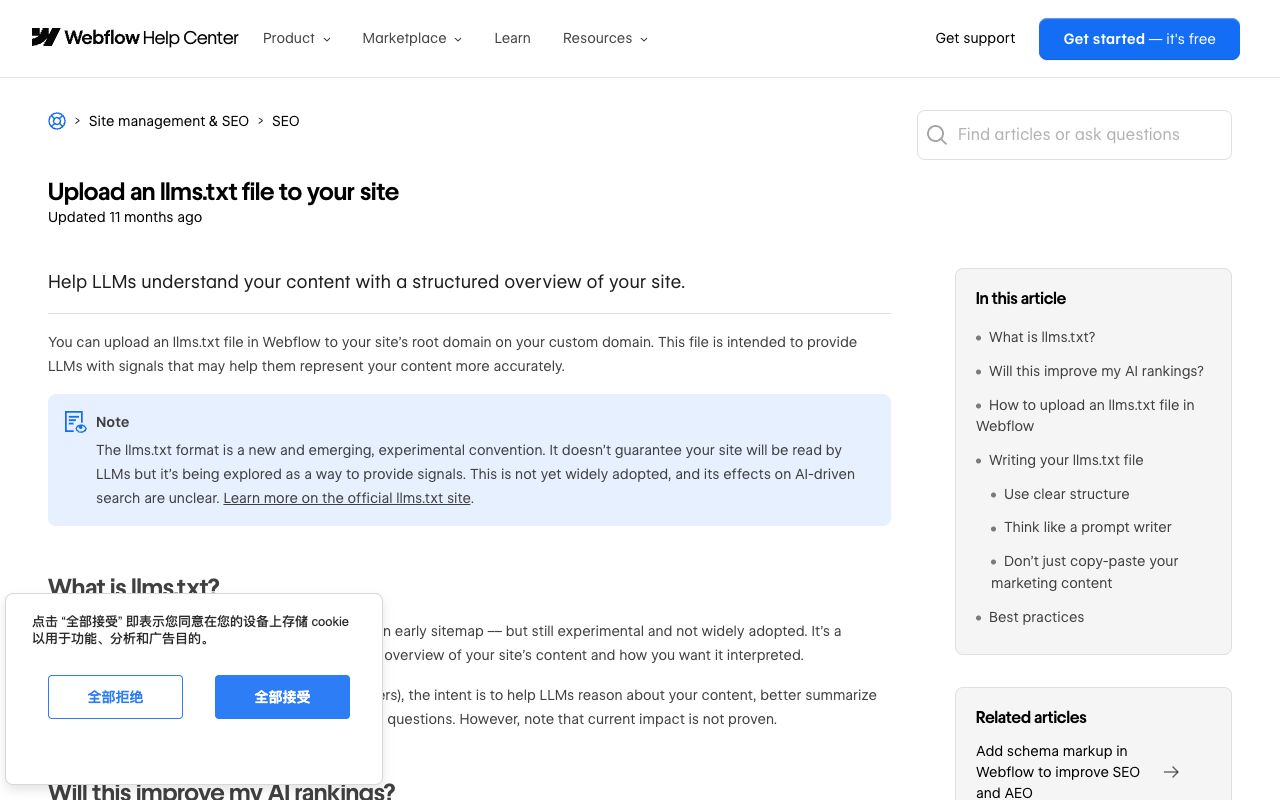
llms.txt. Webflow added a native upload under Site settings, SEO, LLMs.txt. Per the help article, the file must be UTF-8 and under 100 KB, publishes only to a custom domain, and never appears on the webflow.io staging domain. Webflow is candid about the payoff: its help center calls llms.txt "a new and emerging, experimental convention," and a Webflow blog post dated October 20, 2025 states that as of that month major LLM providers do not use llms.txt files in their training data. Treat it as cheap insurance, not a ranking lever, and follow the format published at llmstxt.org.
Schema. JSON-LD in page custom code hands an engine unambiguous facts — price, availability, author, publish date — instead of hoping it infers them from prose. The vocabulary lives at schema.org.
Crawler access. Blocking AI user agents in robots.txt removes you from live retrieval — a legitimate choice for a publisher, usually a mistake for a brand trying to be recommended.
Now the gap. All three are inputs. None is a readout. A Webflow site can be perfectly structured and still get described badly, or skipped in favor of a competitor, and nothing in Site settings will say so. Our scan of Brooklinen's AI performance on August 1, 2026 makes the point: the brand hit 100% visibility across all four engines and still landed a 38% recommend rate and a 58/100 reputation score, with Perplexity and Claude both scoring it 52.
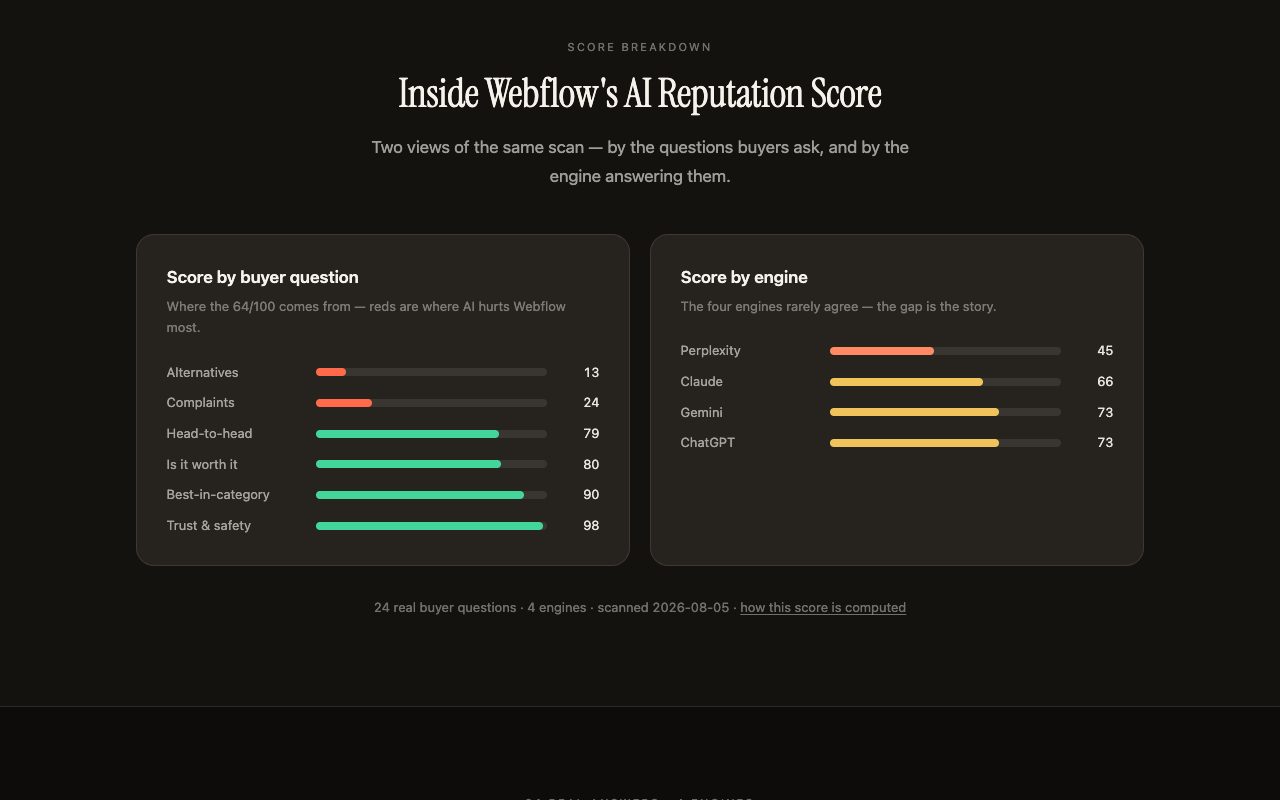
Closing that loop is a different job. Kairosy asks ChatGPT, Gemini, Claude, and Perplexity the questions your buyers type, classifies each answer's sentiment, records which sources the engines cite, and returns a fix plan. The first 7 days are free; paid plans start at $29/mo and add weekly rescans per brand and market, daily prompt tracking, and market-specific scans across 25 countries. To start with the site itself, the AI-ready audit checks whether engines can parse what you publish, and GEO vs SEO in 2026 covers where the two disciplines diverge.
What Are the Best Webflow Alternatives in 2026?
Three platforms take the same job in different directions. Prices below were checked on each vendor's own site on August 5, 2026.
| Platform | Entry paid tier | Redirect manager | SEO angle |
|---|---|---|---|
| Webflow | $15/mo yearly (Basic) | Basic and up | Deepest native controls, no plugins needed |
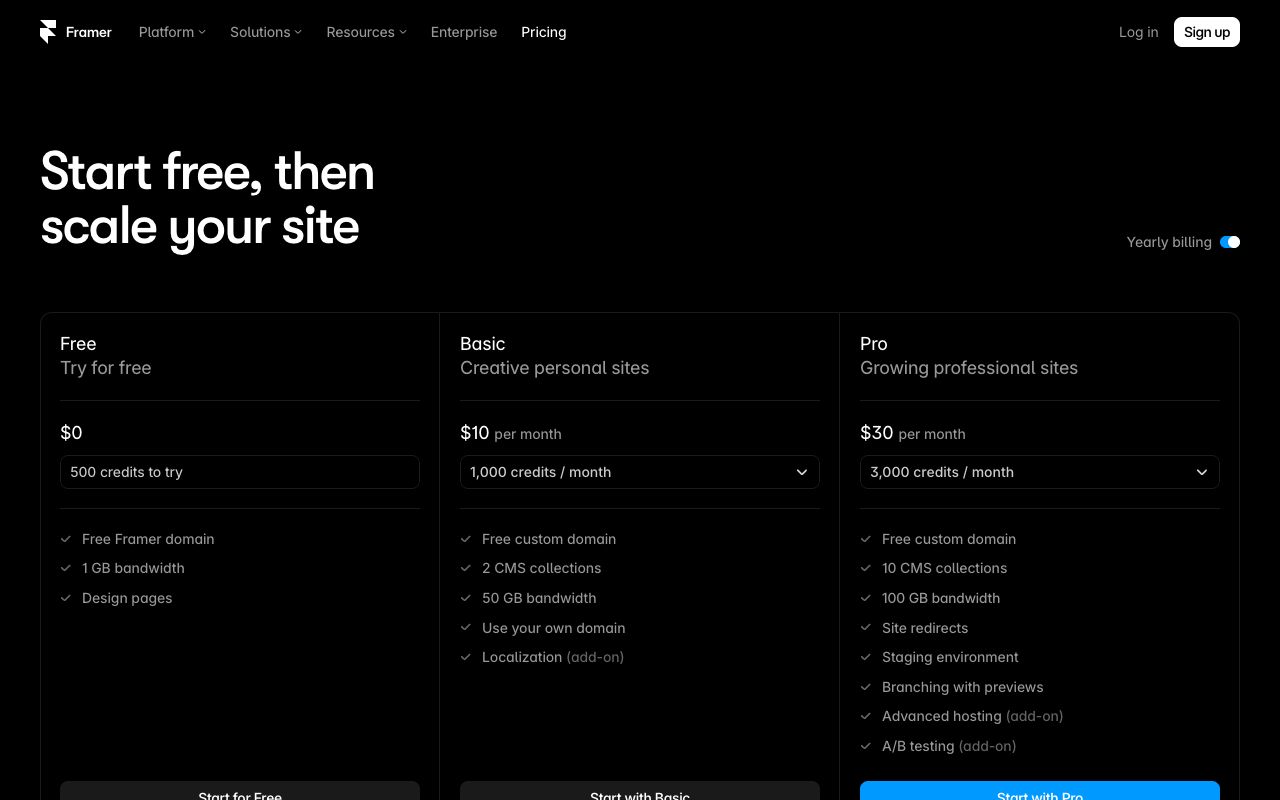
| Framer | $10/mo yearly (Basic) | Pro tier only | Fastest to ship, thinner technical surface |
| WordPress + Yoast | Software free, Yoast Premium $118.80/yr | Yoast Premium | Most extensible, you own the stack |
| Wix Studio | Regional pricing, free tier available | Not itemized on the plans page | Guided SEO setup for non-specialists |
Framer runs Free, Basic at $10/mo, and Pro at $30/mo on yearly billing, with Enterprise custom. Basic covers 30 pages, 2 CMS collections, and built-in SEO. The catch for search work: site redirects, a staging environment, and hosting of static files such as .well-known only start at Pro. Extra editors are $20/mo each.
WordPress plus an SEO plugin is still the ceiling for control. The software is free and hosting is your own cost. Yoast SEO Premium lists at $118.80/year excluding VAT and includes a redirect manager, up to five keyphrases per post, bulk AI-drafted metadata, and schema aggregation that collects a site's structured data into one deduplicated graph. Yoast also ships a bot blocker for choosing which AI systems may train on your content.
Wix Studio targets agencies building client sites at volume. Wix's ladder runs Free, Light, Core, Business, and Business Elite, all with a custom domain and a 14-day money-back guarantee. The pricing page serves regional, tax-inclusive figures, so check your local page before budgeting. Its SEO tooling is a guided setup checklist rather than raw control.
One thing none of the four does: report what an AI engine says about your brand. That gets measured off-platform whichever builder you choose.
Webflow SEO FAQs: Your Top Questions Answered
Is Webflow good for SEO?
Yes, for technical fundamentals. Metadata, canonicals, sitemaps, robots.txt, redirects, and schema are first-party features rather than plugins. The weak spots reviewers name are pricing and support, not indexability.
Does Webflow have an SEO plugin?
No. There is no marketplace equivalent to Yoast or Rank Math. Webflow's position is that the controls are native, with Webflow AI able to audit a site and draft missing metadata and schema.
What belongs on a Webflow SEO checklist?
A global canonical, unique metadata everywhere, CMS template metadata bound to collection fields, staging indexing off, the sitemap in Search Console, redirects created before slugs change, JSON-LD on key templates, and a robots.txt you have actually read.
Are there free Webflow SEO tools?
Yes. Google Search Console is free, and free external checkers run against any published URL — schema validation, llms.txt generation, and AI crawler access checks. Webflow's own AI audit needs at least a paid Workspace on a Starter site.
Can a Webflow site appear in ChatGPT or Perplexity answers?
It can, and the hosting platform is not the deciding factor. What matters is whether crawlers are allowed, whether the page states facts clearly, and whether third-party sources corroborate you. Being cited and being recommended are separate outcomes.
See what AI says about your brand
Run a free scan across ChatGPT, Gemini, Claude & Perplexity in about 30 seconds.
Run my free scan