How to Track AI Search Engine Sources: A Hands-On Guide (2026)
To track AI search engine sources, ask each engine the questions your buyers type, open the citations attached to every answer, and log one row per cited URL with the date, the prompt and the sentence that URL supported. Then repeat on a fixed schedule and compare runs, because one run is only a sample.
This guide covers how to track AI search engine sources at the level of one prompt, one answer and one URL: where each engine shows citations, how to capture them by hand or over the API, a logging template, the tools that automate capture, and what to do with the rows. The program around it (source types, metrics, ownership) is in AI source monitoring, and the domains engines cite most often are in the most cited AI sources.
Where Do AI Search Engine Sources Show Up in Each Engine?
Every engine exposes sources twice: in the chat interface your buyers read, and in a field of the API response you can script against. The table is compiled from each vendor's documentation, read in September 2026 and linked in the sections below.
| Engine | What the user sees | API field that carries the URL |
|---|---|---|
| ChatGPT search | Inline citation links plus a Sources list at the end of the response | url_citation annotation: url, title, start_index, end_index |
| Perplexity | Numbered references such as [1][3] in the answer text | Sonar: citations and search_results. Agent API: a search_results output item |
| Gemini app | A Sources button at the bottom of the response or in-line | url_citation annotations when the google_search tool is on |
| Google AI Overviews and AI Mode | Supporting links shown with the AI response | No public API. Search Console counts these clicks inside Web search traffic |
| Claude | Direct citations and source links in the response | web_search_result_location: url, title, cited_text |
How Do You Capture Sources From ChatGPT Search?
By hand:
- Start a new chat for each prompt, so an earlier conversation cannot steer the answer.
- Type the buyer question exactly as it sits in your prompt list. OpenAI Academy says a small globe icon next to the response "indicates that Web Search was used." If it is missing, pick Web Search from the tools menu, ask again, and log both answers.
- Click each inline citation, then open the Sources list at the end of the response. Copy every URL with the sentence its citation sits on. The sentence is the claim; the URL is what fed it.
- Paste the full answer next to the URLs, because a source list means little without its answer.
Over the API, the Responses API with the web_search tool returns each citation as a url_citation annotation holding the URL, title and character range. OpenAI's web search guide also separates cited pages from everything the model read: "Unlike inline citations, which show only the most relevant references, sources returns the complete list of URLs the model consulted when forming its response." Add web_search_call.action.sources to include to get that list, and mark each URL as cited or only consulted.
Then check access. OpenAI's crawler page states that "Sites that are opted out of OAI-SearchBot will not be shown in ChatGPT search answers, though can still appear as navigational links." The free AI crawl checker tests a URL against Googlebot, GPTBot and 15 other search and LLM bots. More in ChatGPT brand monitoring.
How Do You Capture Sources From Perplexity?
Perplexity closes claims with numbered references; the sample answer in its API docs ends a sentence with [1][3]. By hand, click through every number and record the URL, page title and the sentence that number closes. A number that recurs across sentences marks a page carrying much of the answer, so note the count.
Over the API, Sonar returns a citations array of URLs plus search_results objects with title, url, date, last_updated and snippet. The dates show whether the engine leans on an old review or last month's comparison. Sonar's search_domain_filter and search_recency_filter (hour, day, week, month or year) help with controlled tests. Plan a migration: in September 2026 Perplexity's reference page stated "Sonar will be supported until September 27, 2026," and its migration guide says the Agent API returns "a typed output array — one item per step the model took, with a message item for the answer text and a search_results item for the sources."
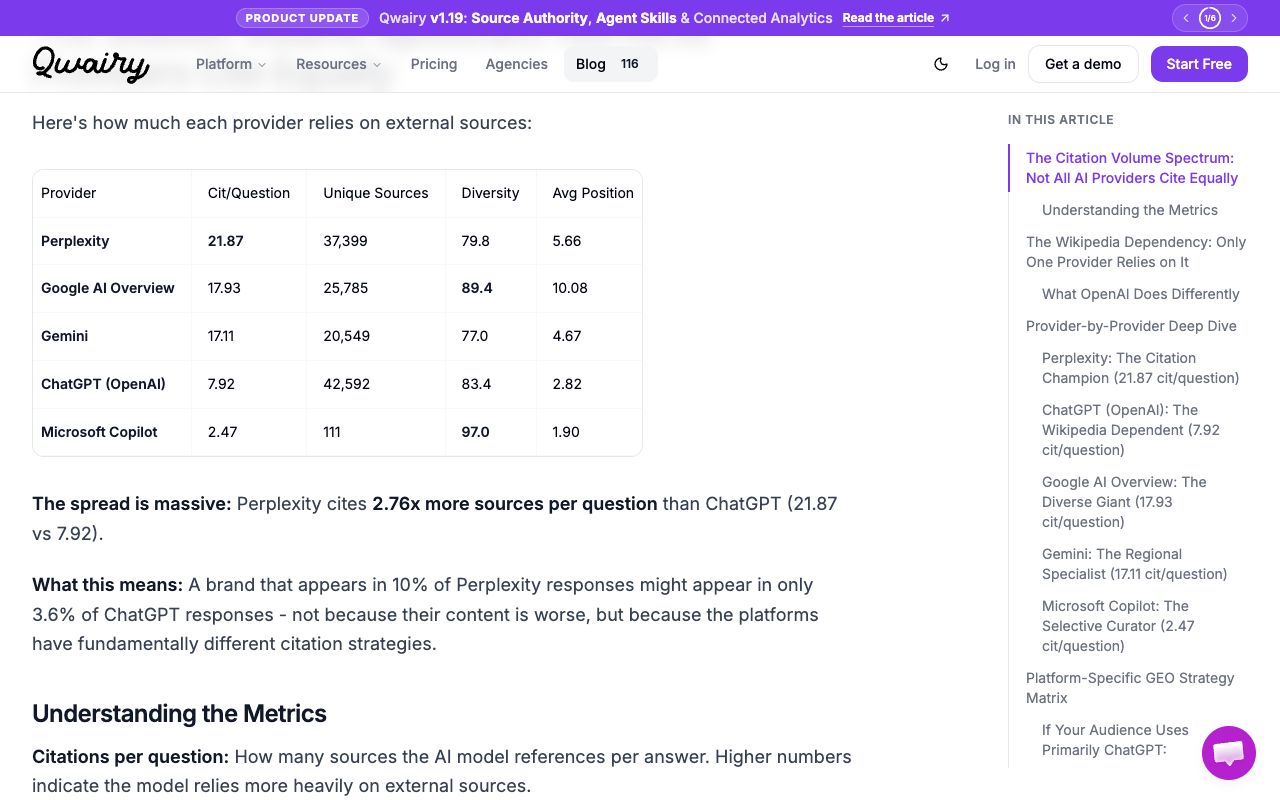
Expect Perplexity to fill most rows. Qwairy's study of 118,101 AI answers and 669,065 citations from Q3 2025 (published October 15, 2025) counted 21.87 citations per question on Perplexity, 17.93 on Google AI Overview, 17.11 on Gemini and 7.92 on ChatGPT (Qwairy citation study). At those rates, 20 prompts on Perplexity, Gemini and ChatGPT return roughly 940 citations per run.
Perplexity's crawler guide says "PerplexityBot is designed to surface and link websites in search results on Perplexity," so allow it in robots.txt. More in Perplexity brand monitoring.
How Do You Capture Sources From Gemini and Google AI Overviews?
In the Gemini app, Google's help page says "When sources are available, you can find the Sources button at the bottom of the response or in-line throughout the response," and "On the right, a side panel will open with the relevant links." It adds that "Not all responses include related links or sources." Log an answer without the button as unsourced rather than skipping it.
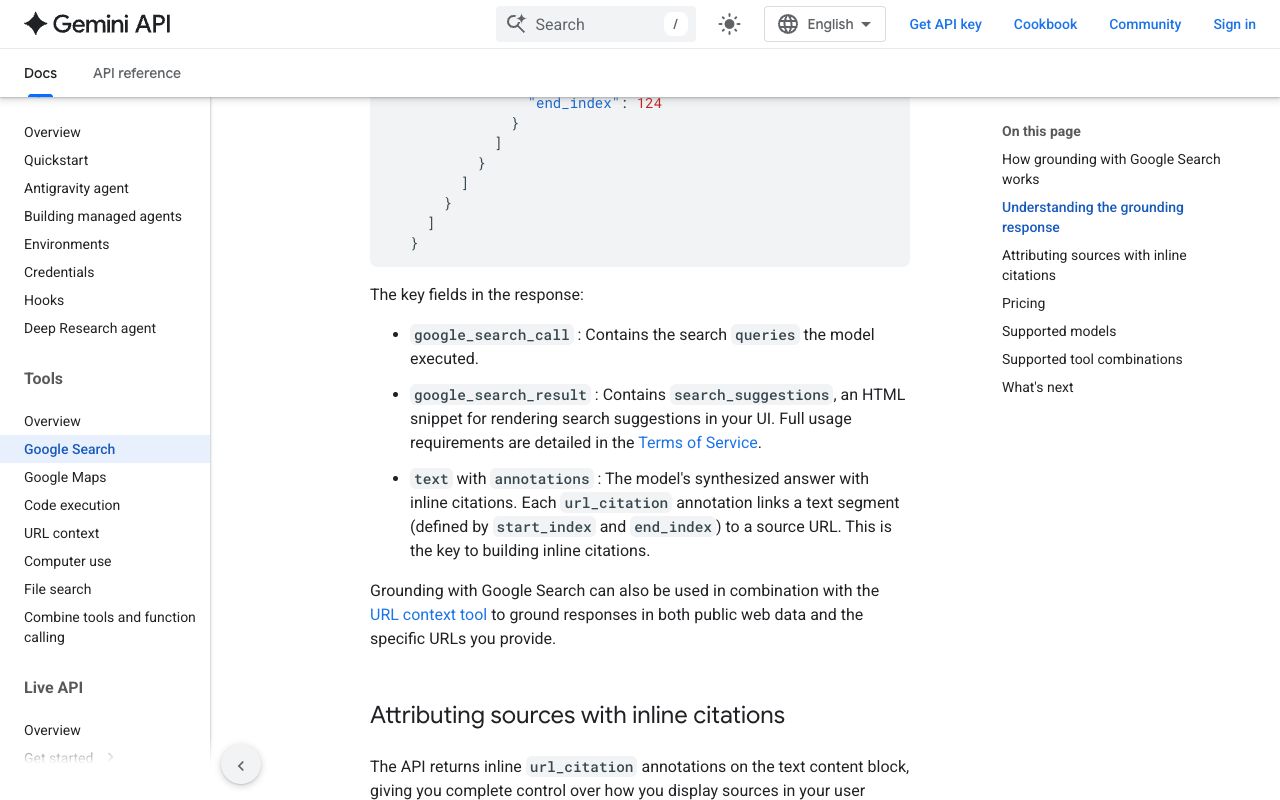
The Gemini API shows the searches the model ran. With the google_search tool on, per the grounding docs, the google_search_call step "Contains the search queries the model executed," and "Each url_citation annotation links a text segment (defined by start_index and end_index) to a source URL." Log those queries: they show how Gemini rewrote your buyer's question. In Google's sample response the title field holds the domain (aljazeera.com), not the headline, so capture the real title separately.
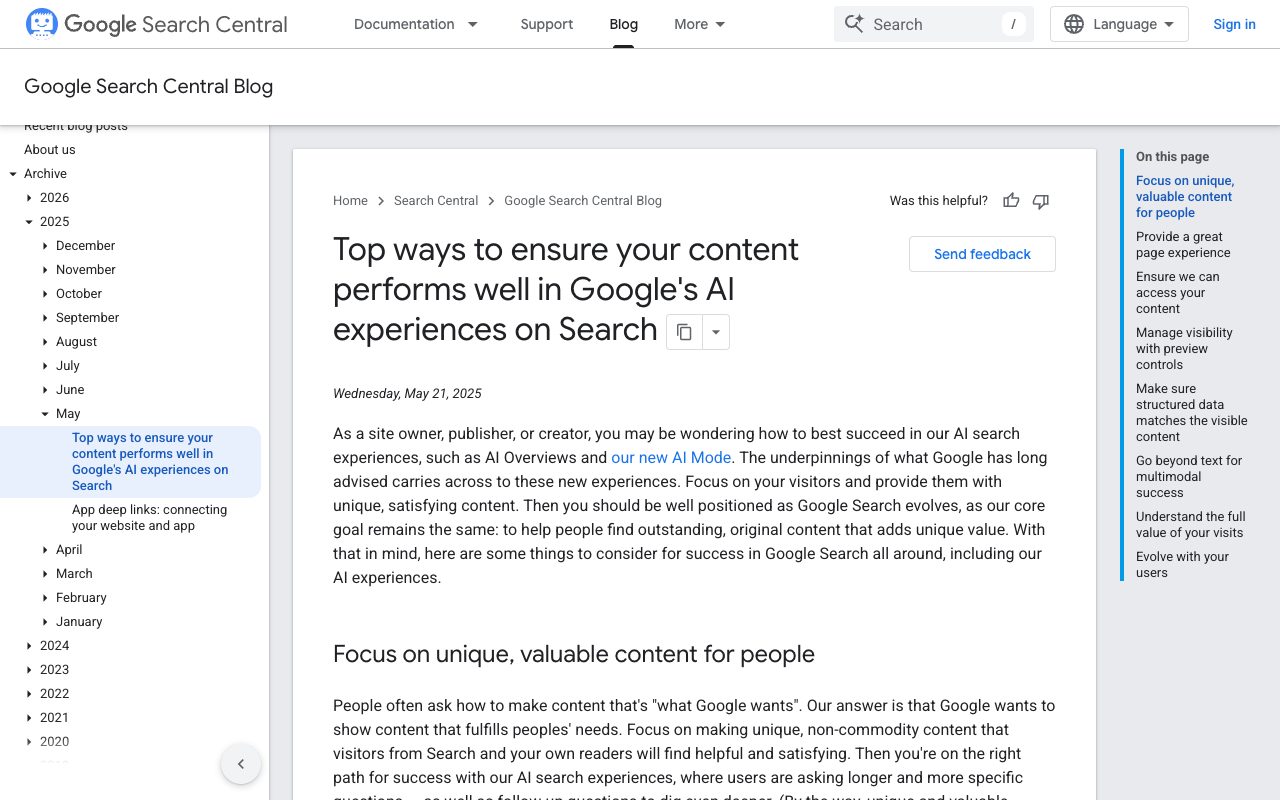
AI Overviews and AI Mode have no public API, so capture means a clean browser session set to your market, a screenshot, and the supporting links. Google's AI features guide says "There are no additional requirements to appear in AI Overviews or AI Mode, nor other special optimizations necessary," but a page "must be indexed and eligible to be shown in Google Search with a snippet." Sites in AI features "are included in the overall search traffic in Search Console," with no separate report. See Google AIO monitoring for this surface.
How Do You Capture Sources From Claude?
Claude's help center says "Every response includes citations, so you can easily verify sources yourself." Turn search on with the "+" button in the lower left corner of the chat; in the newer Claude experience there is no toggle and Claude searches when it helps. Click each citation and copy the URL with its sentence.
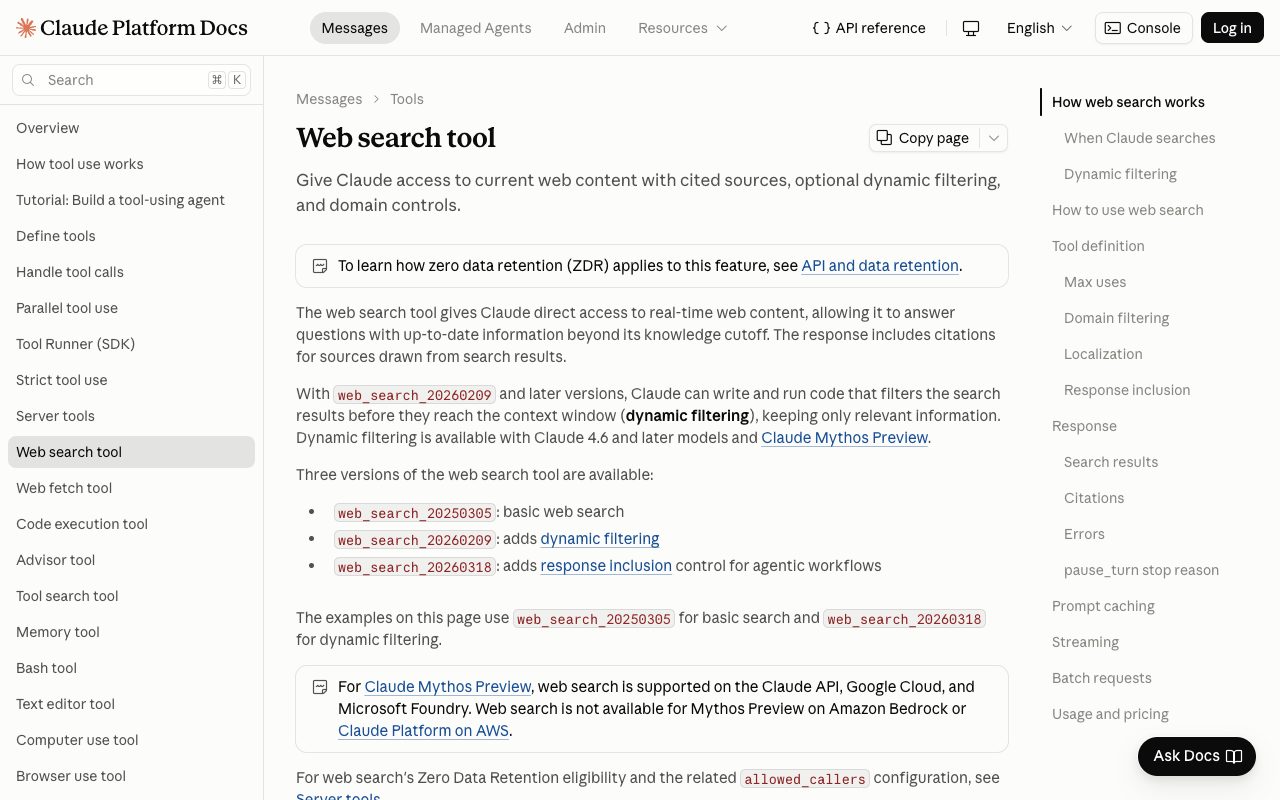
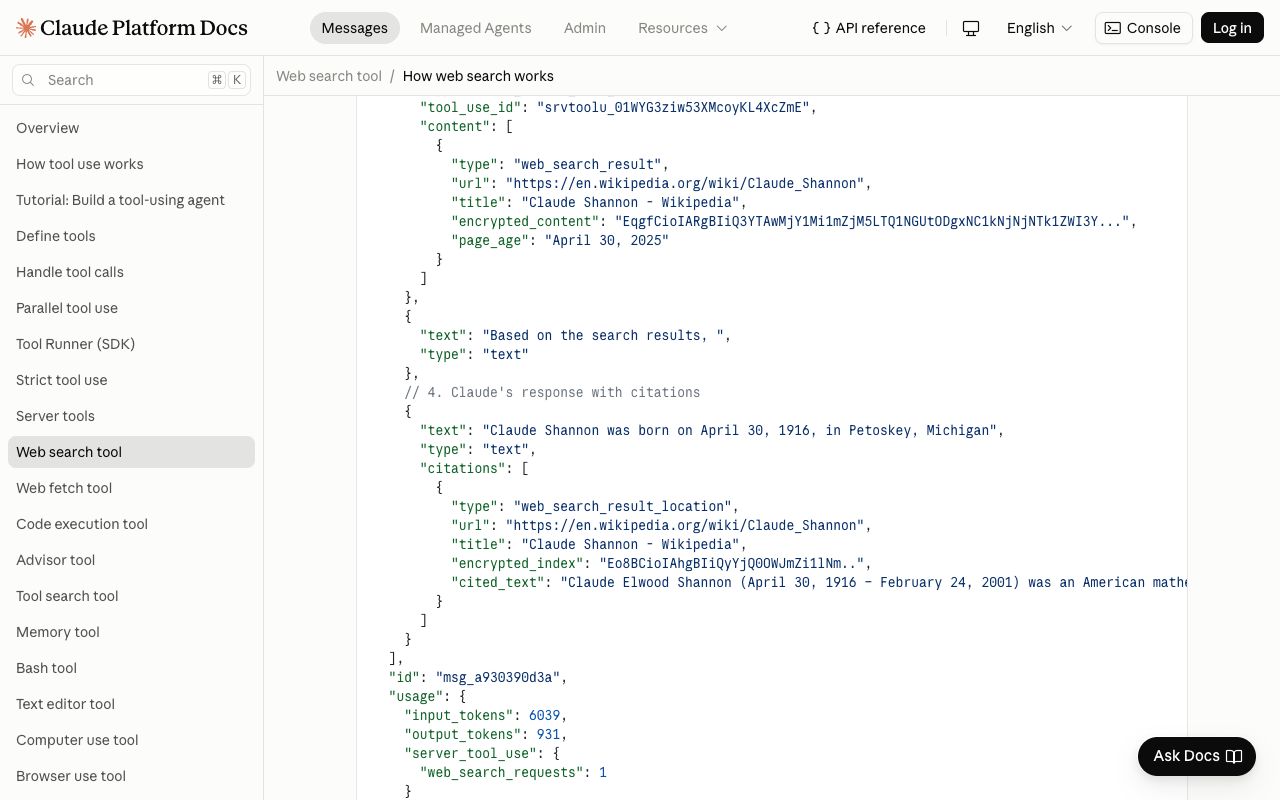
The API is where Claude is easiest to track. Anthropic's web search docs state "Citations are always enabled for web search," and each web_search_result_location carries url, title and cited_text, defined as "Up to 150 characters of the cited content." Search results also return page_age: "When the site was last updated."
For experiments, max_uses caps searches per request and allowed_domains or blocked_domains restricts where Claude looks. Run a prompt once normally and once with your own domain blocked to see which third-party pages tell your story. Web search costs $10 per 1,000 searches plus standard token costs (September 2026). Anthropic's crawler article says Claude-SearchBot "navigates the web to improve search result quality for users." More in Claude brand monitoring.
How Do You Log AI Search Engine Sources in a Spreadsheet?
Log one row per prompt, engine and cited URL; a row per answer or per domain hides which claim a page fed. In this template, the prompt, sentence, URL, title, cited text and page age come from the sample response in Anthropic's docs, and the other columns show how you would classify it.
| Column | What to enter | Example value |
|---|---|---|
| run_date | Date of the run, ISO format | 2026-09-17 |
| engine | ChatGPT, Perplexity, Gemini, AI Overviews or Claude | Claude |
| market | Country or Global, matching your browser or API location | US |
| prompt | The question exactly as sent | claude shannon birth date |
| answer_sentence | The sentence the citation is attached to | Claude Shannon was born on April 30, 1916, in Petoskey, Michigan |
| cited_url | The full URL, not the domain | https://en.wikipedia.org/wiki/Claude_Shannon |
| source_title | Page title as returned | Claude Shannon - Wikipedia |
| cited_text | The quoted passage, where the API provides it | Claude Elwood Shannon (April 30, 1916 – February 24, 2001) was an American mathematician... |
| page_age | Page date returned by the engine | April 30, 2025 |
| source_type | owned, review site, comparison, editorial, community, reference, competitor | reference |
| claim_sentiment | positive, neutral, negative, prefers competitor, unsourced | neutral |
| cited_or_consulted | Cited in the answer, or only listed as consulted | cited |
| owner | Who can change that page or relationship | none (third-party reference) |
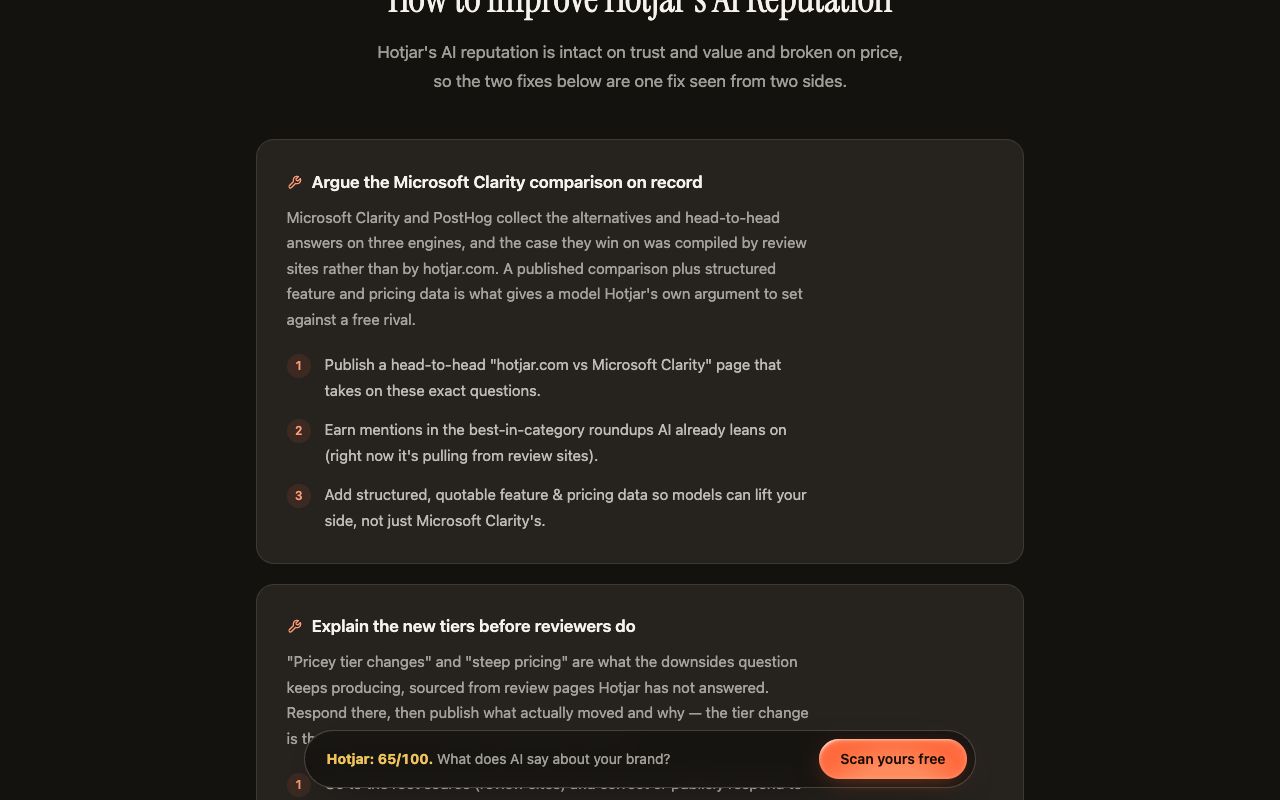
Brand rows work the same way. Kairosy's public scan of Hotjar (2026-08-05, 65/100, "At risk") found that Microsoft Clarity and PostHog "collect the alternatives and head-to-head answers on three engines, and the case they win on was compiled by review sites rather than by hotjar.com." As rows: three engines, review-site URLs, sentiment "prefers competitor," owner in marketing. See Hotjar's AI performance report.
- Use dropdown validation for engine, source_type and claim_sentiment, or pivots fragment on typos.
- Add a source_domain column, then a
COUNTIFSover engine and domain answers "how often did Perplexity cite G2 this month" in one cell. - Never overwrite a run. Append rows with a new run_date, so a vanished source shows up as a gap.
Which Tools Track AI Search Engine Sources Automatically?
A spreadsheet works for a short prompt list checked occasionally. For daily checks across engines and markets, use software that stores answers and URLs and compares runs. Plans below were checked on vendor pricing pages in September 2026.
| Tool | Source data it keeps | Engines | Pricing (September 2026) |
|---|---|---|---|
| Kairosy | Full answer, sentiment with reasons, real citation URLs, source domains per engine and market | ChatGPT, Gemini, Claude, Perplexity | Basic $29, Pro $99, Growth $399 per month; 7-day free trial, no card |
| Otterly.AI | Link citations analysis and domain ranking | ChatGPT, Google AI Overviews, Perplexity, Copilot; Claude, AI Mode and Gemini as add-ons | Lite $29/month (15 prompts), Standard $189 (100), Premium $489 (400), billed monthly |
| Peec AI | Source analytics with domain and URL detail | 3 models per plan | Starter (50 prompts), Pro (150), Advanced (350), Enterprise custom; prices on its pricing page |
| Profound | Citations, sentiment, ranking and competitive presence | Trial: ChatGPT, Gemini, Google AI Overviews. Enterprise: up to 9 answer engines | Free trial (50 prompts daily for 7 days); Enterprise custom |
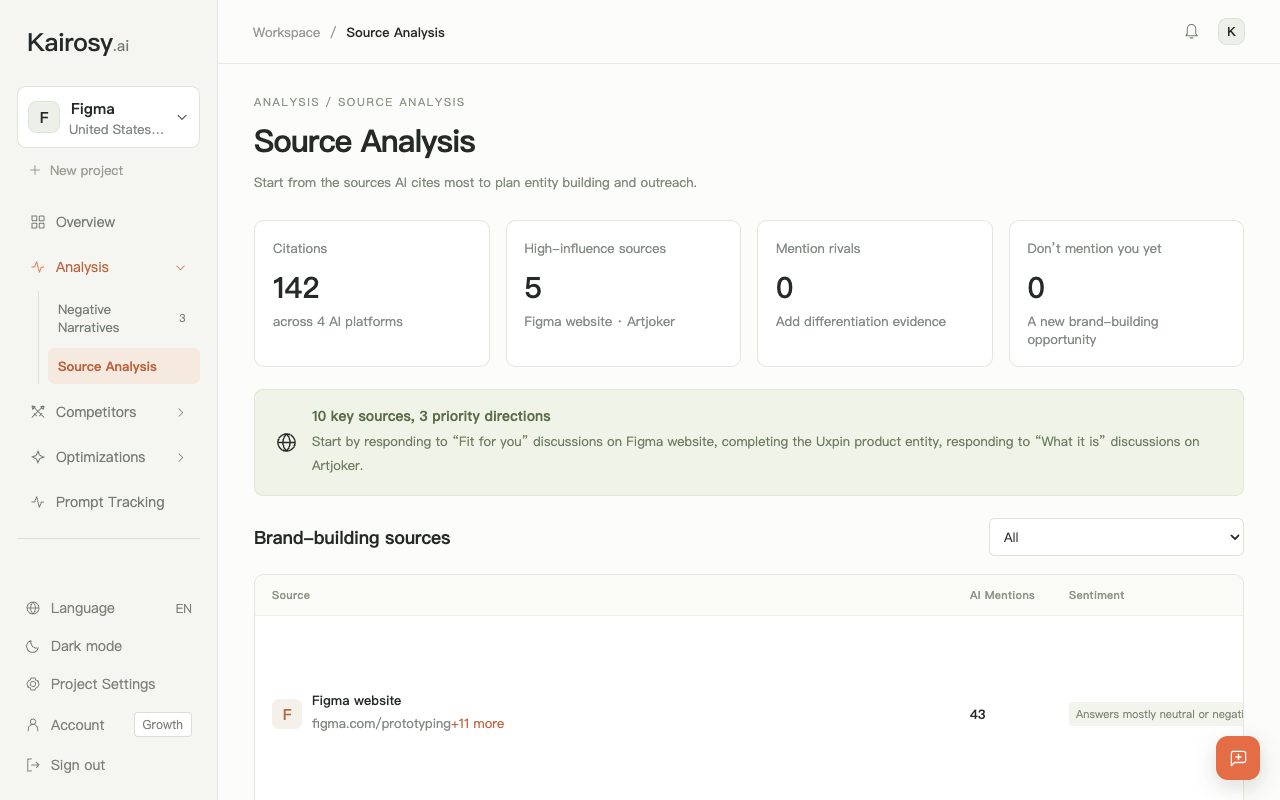
Before paying, check whether the tool keeps the raw URL of every citation or only a domain count, stores the answer text beside the source, and lets you set the market. In Kairosy, every answer in a report carries its cited URLs and a positive, neutral or negative label with the reason, and the Visibility module lists source domains per engine. Tracked prompts run daily on every paid plan (25, 100 or 350), and each tracking slot is one brand in one market, re-scanned every Monday. See AI brand monitoring.
What Should You Do With the Source Data You Collect?
- Sort by claim sentiment, then domain. A negative claim from a review site means replying where it lives; the same claim from your own page means rewriting it. The Hotjar scan shows the first case: "Pricey tier changes" and "steep pricing" are what the downsides question keeps producing, "sourced from review pages Hotjar has not answered."
- Fix access on pages that should be cited. Run the crawl checker on pages that never appear, then the AI-ready audit: 33 checks across access, readability, structured data, citability and trust, with a diff since your last audit.
- Re-run and diff. A URL that recurs across recent runs for the same prompt and engine deserves an owner; one that appeared once is noise. Kairosy's Fix Plan turns recurring problems into prioritized actions per report.
Keep the engine column in every pivot. 5W's State of AI Citations 2026 (May 2026) states that "Only an estimated 11% of domains are cited by both ChatGPT and Perplexity," so a source fixed for one engine is not fixed for the others.
How to Track AI Search Engine Sources: FAQs
How often should you track AI search engine sources?
Daily for a short list of priority prompts, weekly for a full brand pass. Otterly and Peec list daily tracking frequency on their plans; Kairosy checks tracked prompts daily and re-scans tracked brands every Monday.
Can you track AI search engine sources for free?
Yes. The per-engine steps above cost only time, and the template needs no add-ons. The limit is scale: every prompt multiplies by every engine and every run.
Does Google Search Console show AI Overview sources?
No. AI feature traffic is folded into overall Search Console data without a separate report, so capture the overview itself to see which pages it cited.
Can GA4 show visits from AI search engines?
Partly. GA4's default channel groups include AI Assistant, which Google says "excludes Google’s AI Overviews and AI Mode." Seer Interactive (updated June 22, 2026) notes that untagged ChatGPT traffic "will likely appear as “Direct” in GA4." Match AI Assistant landing pages against your cited_url column.
Does every URL in a source list mean the engine used that page?
No. OpenAI separates inline citations, "which show only the most relevant references," from the full list of URLs consulted, and Claude's API returns search results separately from the citations on the answer text. That difference is what the cited_or_consulted column records.
See what AI says about your brand
Run a free scan across ChatGPT, Gemini, Claude & Perplexity in about 30 seconds.
Run my free scan